
Understand your code.
Align your company.
Documentation, walkthroughs, and answers. Built for engineering teams.
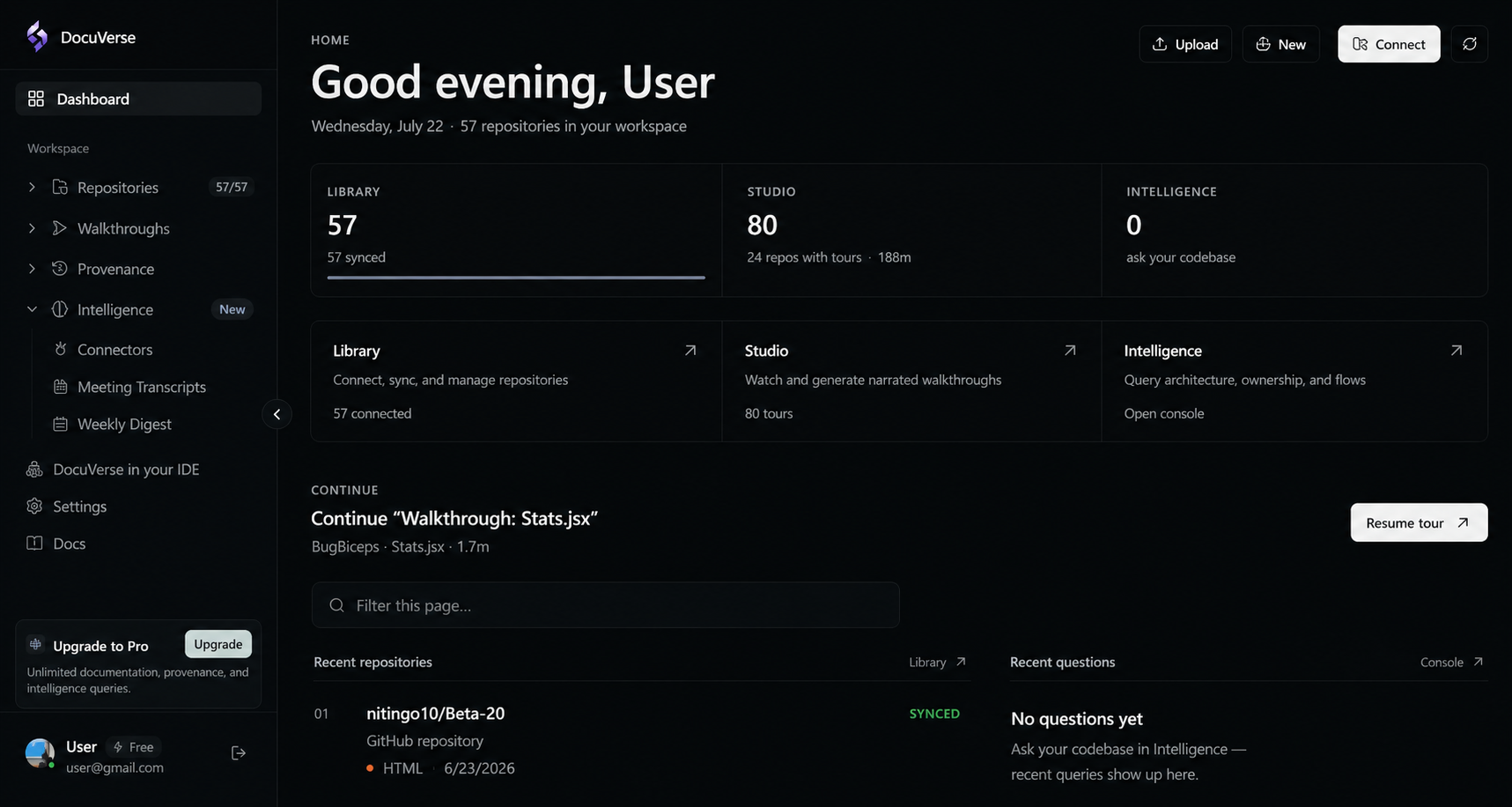
Works with the tools you already use.
One place for everything your team ships, decides, and discusses.

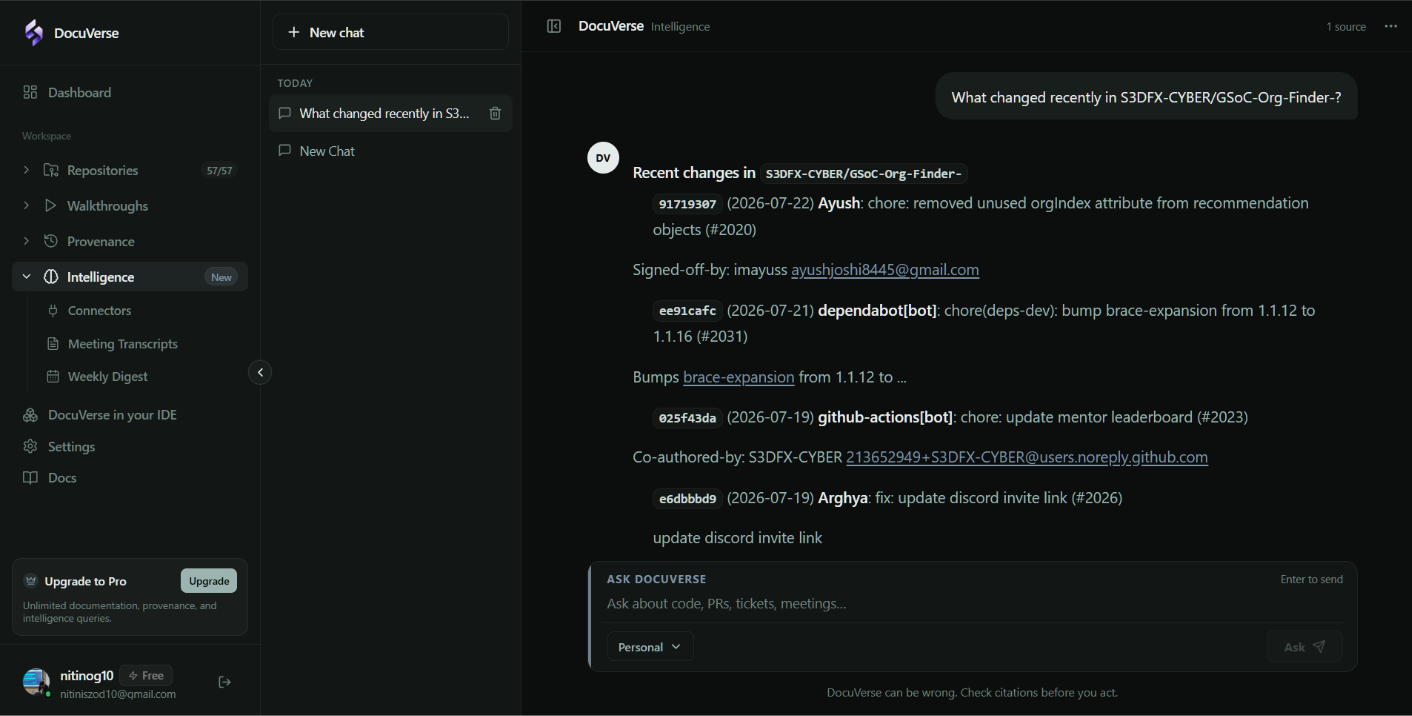
Intelligence
Ask your codebase anything.
Answers grounded in your code, meetings, and tickets.
Connect Slack, Jira, Zoom, and GitHub in one place
Trace a ticket to the exact lines of code
See the evidence behind every answer
Turn meetings into searchable context
Ask anything about architecture, ownership, and flow
Built for teams with roles, access, and domain control
Product
Everything you need to read the codebase.
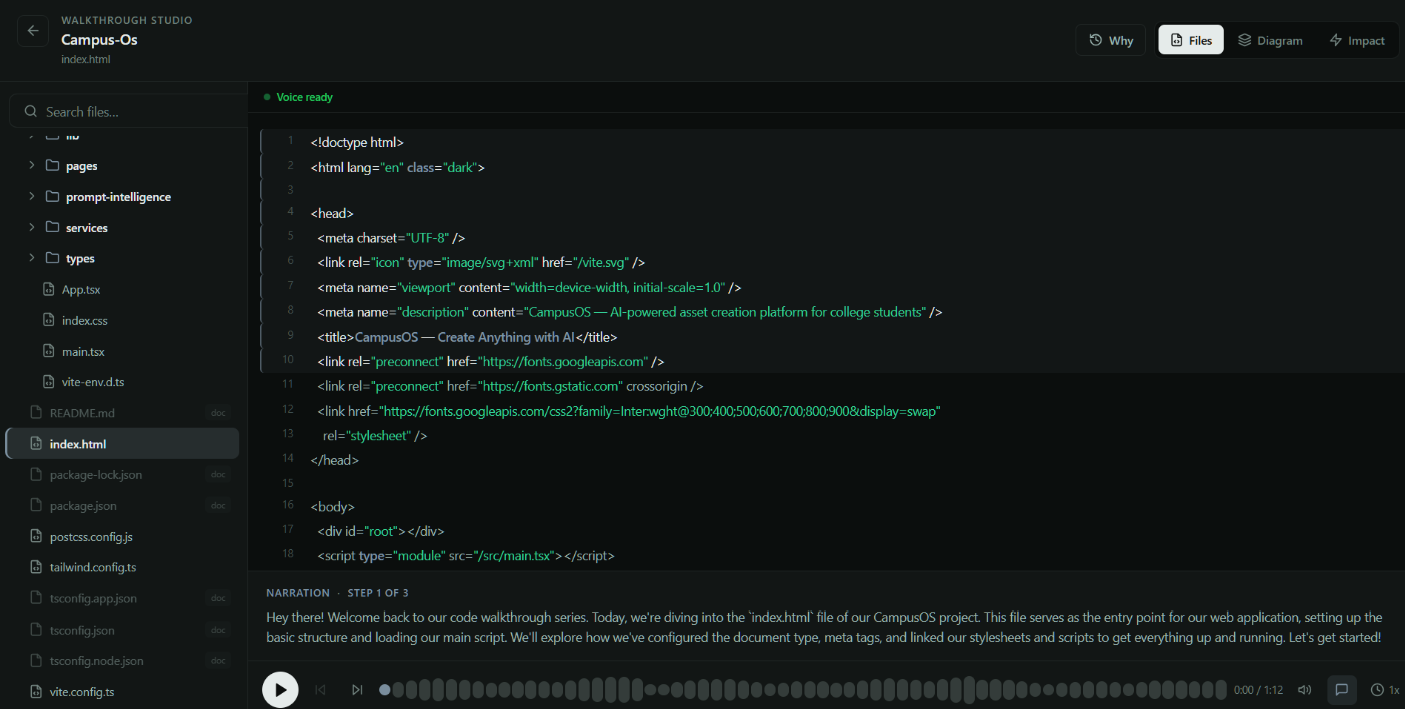
Generate narrated walkthroughs that move through real files, line by line. Perfect for onboarding, handovers, and hard to follow flows.
- Audio synced to highlighted lines.
- Updates as your code changes.
- Hours saved on every handover.

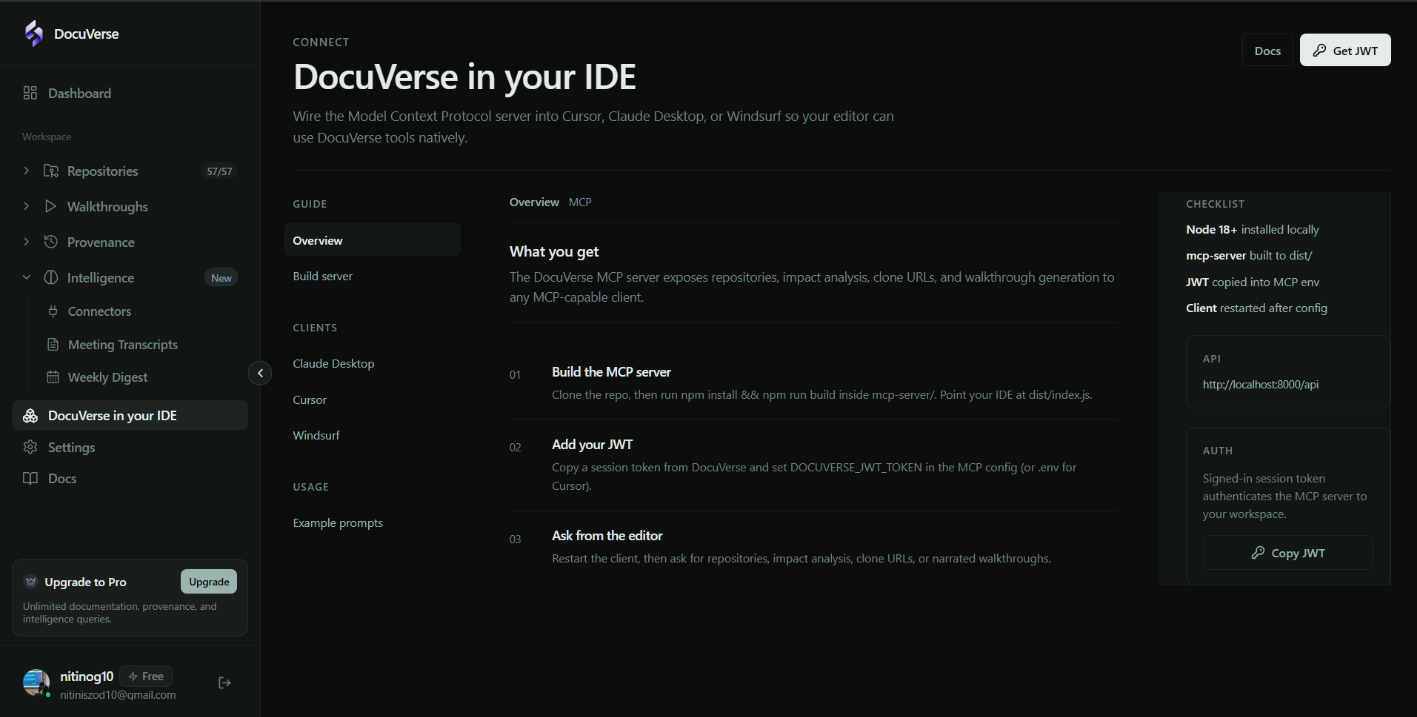
DocuVerse in your IDE.
Bring docs, diagrams, and walkthrough context into your editor. Connect once. Ask in plain language.
- •Works with Cursor, Windsurf, VS Code, and Claude Desktop.
- •Ask your agent to explain flows using live documentation.
- •Exact paths, diagrams, and walkthrough nodes in every prompt.
How it works
From repository to clarity. Three steps.
Connect
Link a GitHub repository or upload a ZIP. Public or private. DocuVerse handles both.
Index
Files are documented. Dependencies are mapped. Diagrams and walkthroughs are ready to explore.
Explore
Watch tours. Ask questions. Check impact. Push docs to GitHub. Or query it all from your IDE.

Start with one repository.
Docs, guided tours, and impact analysis. Ready in minutes. Free to begin.